Notein MOD APK 1.3.190.0 (Subscribed Premium)
ORION STUDIO PTE. LTD | 0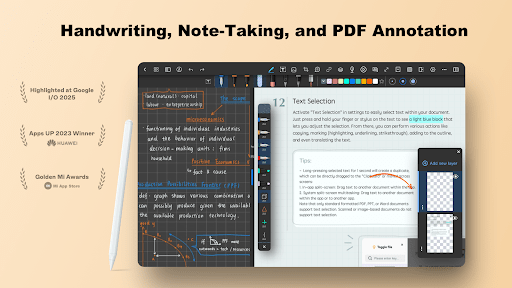
| Updated On | 04/06/2026 |
|---|---|
| Category | Productivity |
| Version | 1.3.190.0 |
| Size | 176 MB |
| Requires | Android 8.0 |
| Get it on | Google Play |
| MOD Features | Subscribed Premium |
- Subscribed Premium
Notein is an easy and personal note-taking app. It’s not only a place to write things down, it’s also a creative space for how you want to hand write, draw and decorate your notes. First up, let’s explore some more features of the app.
Note: You can also refer to some similar applications on our website such as Mind Notes or ColorNote Notepad Notes.
Introduce about Notein
In daily life, taking notes of ideas, schedules or sudden inspirations is necessary. The Notein application was born to help users do that in a more flexible and personalized way.
Compared to regular note-taking applications, Notein offers a more engaged experience. It allows you to draw, write by hand, and also add images directly into the notes. Notein allows users to write and present their content in their own way without being limited by typing from a keyboard or fixed format.
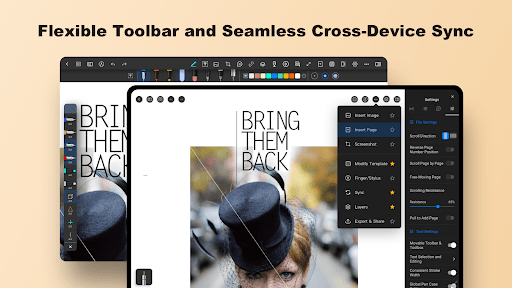
Notein’s interface is easy to use with multiple current color options and paper styles to choose from. You can customize each note page as you feel inspired, turning it into a photo diary, study book, or personal planner. The application is also convenient for storing and synchronizing notes so that you don’t miss any important information.
Access to many writing tools
When using Notein, you will have access to a diverse and flexible set of writing tools. The application not only supports typing text using the keyboard but also allows users to handwrite directly on the screen. This feature is very suitable for those who love the feeling of traditional writing or want to take notes in a free style. Thanks to that, your device becomes a convenient digital notebook, easy to use in all situations.
Users can choose from 8 different tools, including a regular pen, a highlighter, an eraser and some drawing support tools. Each pen allows you to adjust the stroke size, helping you create fonts, symbols or illustrations as needed. Using your finger or a stylus is also easier than ever. In addition, this application also provides handwriting recognition and converts it into clear text.
Easily cut and paste images
The crop feature in Notein provides a more flexible and convenient way to take notes. If you’d like to move or rearrange your content, just use the dashed pen to circle the note or image you’d like selected. You can quickly drag and drop the circled selection to a new position. This operation doesn’t require sophisticated skills, but it’s very powerful for putting notes into the layout that you want.
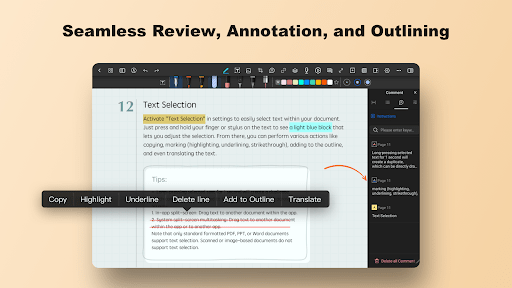
In addition, the application also supports cropping images in many different shapes such as square or round. Choosing the right frame helps you control the image ratio better and create neatness for each note page. One notable point is that when you circle a paragraph of text, the application can display the corresponding translation.
This feature is especially useful for those who often take notes in multiple languages or need to quickly look up content. Thanks to that, Notein not only supports note taking but also becomes an effective learning and reference tool.
Smart AI integration
When you need to develop an idea or outline content, AI will support you to complete and rearrange information in a more reasonable way. With just a few initial notes, you can receive a clear, coherent summary or extended suggestions that suit your note-taking goals. This saves a significant amount of time and helps you maintain a continuous flow of thought without interruption.
When you are working with long paragraphs of text, the dialogue feature with the content will help detect errors, clarify ideas or ask questions for you to check the information again. Thanks to that, the note-taking process becomes more interactive, not just stopping at storing but also helping you understand and edit the content better.
Suitable for a variety of tasks
In today’s work environment, the efficiency of note-taking quickly and flexibly as a contributor to efficient work cycles is important. Notein was created to address that need making it suitable for all industries and individuals having their own methods of working. You can use the application to capture meetings, create plans, draw ideas, or save valuable information. You can do all of this from your phone, and you will no longer have to carry a notebook and pen.
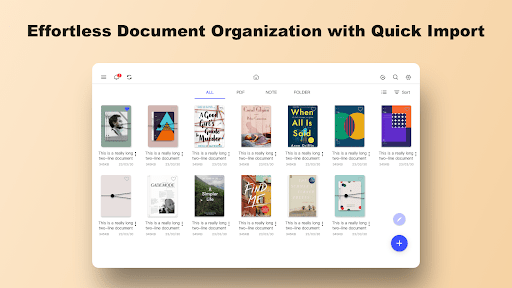
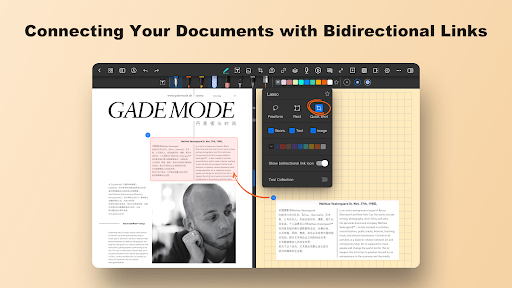
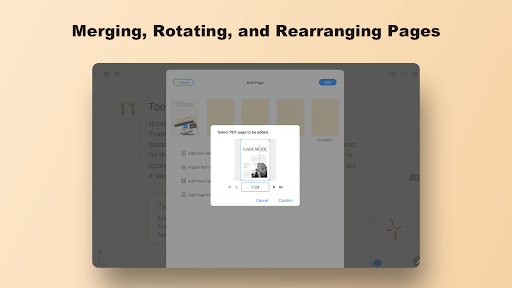
Another convenient point is that this application supports importing many file types such as PDFs, presentation files or document photos. This allows you to take notes directly on available content, edit or highlight important points without converting the format. Whether you work in an office, teach, design or freelance, the application still responds well thanks to its customization and diverse support.
Download Notein MOD APK for Android
In summary, Notein is not just your average note-taking app. It is a powerful assistant for capturing every one of your ideas, organizing your work and energizing your creativity. Its easy-to-use interface, ample tools, and intelligent AI capability, gives users a flexible and modern experience that can accommodate any user’s needs.