Sideways MOD APK 1.1.7 (Unlock Full Game)
Vega Odyssey | 0


| Updated On | 29/05/2026 |
|---|---|
| Category | Racing Games |
| Version | 1.1.7 |
| Size | 1 GB |
| Requires | Android 6.0 |
| Get it on | Google Play |
| MOD Features | Unlock Full Game |
- Unlock Full Game
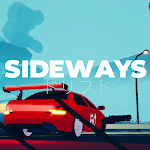
Sideways is a long-distance racing game developed by Vega Odyssey using the Unity engine. Instead of focusing entirely on speed, Sideways places greater emphasis on drifting techniques and the player’s ability to control the car.
In addition to its single-player mode, the game also features online multiplayer, allowing you to compete and test your skills against other players over the internet.
Note: Explore other drift racing games on our website such as Drift Racing Legends or Drift Max Pro.
Stylish visual design
Sideways features a simple low-poly 3D art style. Environmental details are deliberately minimized to optimize device performance while also giving the game a unique visual identity. The game mainly uses shades of blue and cyan, creating a distinctive sci-fi atmosphere. In addition, the light fog effects visible in the distance help make the world feel more immersive and visually layered.
The car in the game is equipped with red taillights that leave glowing light trails behind as it moves. This technique, commonly known as Tail Light Trails VFX, is frequently seen in modern racing games, especially titles like Need for Speed Unbound. The effect enhances the sensation of speed while also making the vehicle stand out more clearly within the game’s environment.
Virtual control design in Sideways
Sideways was originally released on PC, while the mobile version is essentially a direct port of the original game. Because of this, the game includes a virtual control system to replace the PC controller, allowing players to control the car directly through the touchscreen.
However, this is also one of the more disappointing aspects of the mobile version of Sideways. The virtual control buttons are relatively large and take up a significant portion of the screen space. Instead of using intuitive icons, the developers chose to display text labels to describe the function of each button.
This design makes the touch areas larger, helping players perform actions more easily and reducing the chance of accidental taps during gameplay. Nevertheless, the oversized buttons and excessive text make the interface look less visually appealing overall, which somewhat affects the game’s visual experience.
Control mechanics in Sideways
On the left side of the screen, Sideways provides two virtual buttons labeled “Left” and “Right”, allowing you to steer the car to either side. Meanwhile, the right side of the screen contains four control buttons: “Throttle”, “Brake”, “EBrake”, and “Brake/EBrake.”
The “Throttle” button is used to gradually accelerate the car while being held down. Once you release the button, the vehicle’s speed will slowly decrease. “Brake” functions as the standard braking system, allowing the car to slow down safely until it comes to a complete stop.
In addition, the game features an “EBrake” button – a handbrake that locks the rear wheels, causing the car to slide and making it easier to perform drift maneuvers. Finally, “Brake/EBrake” combines both standard braking and the handbrake, allowing you to stop the vehicle abruptly in situations that require quick reactions.
Things to keep in mind when Hitting Barriers in Sideways
In Sideways, if you accidentally collide with a barrier, the front of the car will often become “stuck” against the surface of the impact. This can make it quite difficult to steer the vehicle back onto the track.
The reason for this is that the game uses a physics material with low bounce force, while the car itself has relatively high traction. As a result, if the collision is not strong enough, the vehicle tends to remain pressed against the barrier instead of bouncing away from it.
If you encounter this situation, you should slowly steer the car in the opposite direction of the barrier. Most importantly, avoid scraping or colliding with the wall again, as doing so will make the car even harder to free.
Download Sideways MOD APK for Android
Sideways is not a perfect game yet and still has several aspects that could be improved in the future. However, thanks to its unique visual style and driving mechanics that are simple, easy to learn, and easy to master, the game still delivers an enjoyable and entertaining experience for players.