
Money Manager MOD APK 4.12.2 GF (Premium Unlocked)
Realbyte Inc | 0
| Updated On | 10/06/2026 |
|---|---|
| Category | Lifestyle |
| Version | 4.12.2 GF |
| Size | 21 MB |
| Requires | Android 6.0 |
| Get it on | Google Play |
| MOD Features | Premium Unlocked |
- Premium Unlocked
Ever feel like money just disappears by the end of the month? Money Manager is built for anyone who wants to actually see where every cent goes. It keeps things simple by focusing on tracking income and expenses without adding unnecessary or confusing bells and whistles.
Note: Don’t forget to check out some similar applications on our website such as Money Lover or Password Manager SafeInCloud Pro.
Introduce about Money Manager
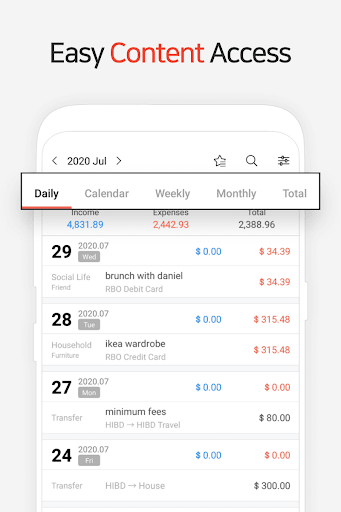
Money Manager uses a straightforward layout that makes it easy to get a handle on spending habits right away. Instead of linking directly to a bank account, it relies on manual entry to give the user a real sense of connection to their spending. Recording personal and business transactions as they happen helps build a much better awareness of actual cash flow.
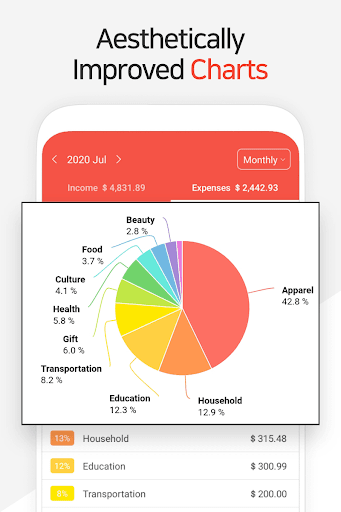
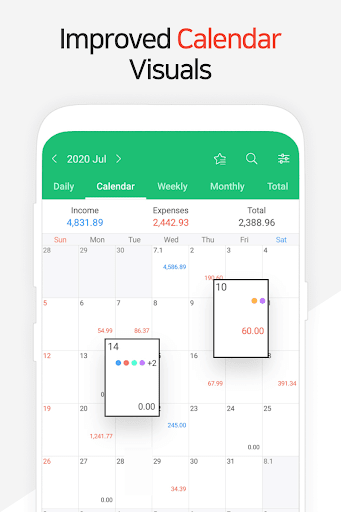
The main goal here is clarity through visuals like reports and charts that break down complicated financial data. It transforms a pile of numbers into something that makes sense at a quick glance. Having this kind of insight makes it much easier to decide what to cut back on or where to save.
The double-entry system
Money Manager takes a professional accounting principle and scales it down for everyday personal use. Every time an expense is logged, it’s also tied to a specific source like a checking account or literal cash in a pocket. Using this double-entry bookkeeping method keeps the books balanced and prevents those annoying errors where money seems to go missing.
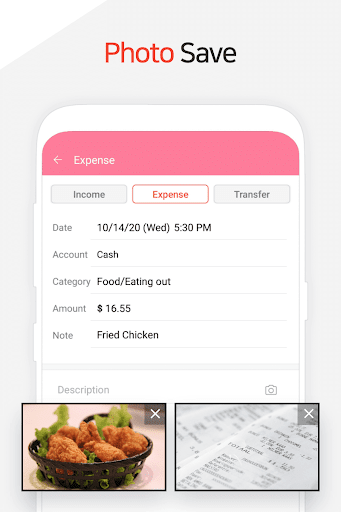
When recording a quick lunch, the user has to specify if it came from their wallet or a card, which builds a complete picture of asset movement. It’s a powerful way to manage assets, though it might feel a bit technical for someone used to just writing down a single number. Getting the hang of how accounts interact takes a moment, but the accuracy is worth the extra step.
Your finances on the big screen
Staring at a phone screen for managing an entire month of finances is boring pretty quickly. The PC manager feature resolves this by allowing the application to connect to a computer via Wi-Fi for a much wider view. One is able to sit with a keyboard and a mouse to edit entries or check detailed reports without the restriction of having to use a mobile device.
If there’s a long list of transactions from a busy weekend, handling them on a desktop feels much more efficient and comfortable. This feature is a solid backup for power users, though it does require a stable connection between the phone and the computer to work right. It makes those weekly or monthly deep dives into spending feel a lot less like a chore.
Visualizing your budget goals
Setting a spending limit is easy, but actually sticking to it when standing in a store is the hard part. The app uses a budget management tool that lets users set specific caps for things like groceries, entertainment, or travel costs. It shows these limits graphically, so it’s instantly obvious if the spending is getting too close to the red zone.
Seeing a progress bar fill up in real time after buying a coffee provides an immediate reality check on the remaining monthly funds. It serves as a helpful motivator to stay disciplined, but the visual cues only work if the user remembers to input every single purchase. If a few items are forgotten, the budget graph won’t reflect the true state of the bank account.
Taming your credit and debit cards
With Money Manager, keeping track of multiple pieces of plastic can get confusing, especially when payment dates start piling up. This feature lets users log every card transaction individually to keep a running total of outstanding balances. It helps bring some much-needed order to credit and debit spending by centralizing everything in one list.
When a payment date is coming up, the app makes it easier to see exactly what the settlement amount will be. This is a smart way to avoid those stinging late fees and keep debt levels under control. However, tracking cards manually requires a high level of organization since the app won’t automatically alert the user to a swipe they forgot to record.
Streamlining your daily entries
The biggest hurdle to manual tracking is how long it takes, so the bookmark function is a huge time-saver. Frequent costs like a daily bus fare or a morning caffeine fix can be saved as bookmarks for one-tap entry. This makes the habit of logging expenses much faster and less of an interruption to the day.
While walking away from a register, a quick tap on a saved bookmark records the transaction before the receipt even hits the bag. Building this consistency is the only way to get an accurate view of financial health in the long run. It’s a simple mechanic, but users still have to remember to use it every single time for the data to remain useful.
Download Money Manager MOD APK for Android
Money Manager is a great fit for anyone who wants a hands-on experience with their budgeting. It’s especially helpful for beginners or people who aren’t comfortable giving a third-party app direct access to their bank accounts. Between the double-entry system and the visual reports, there are plenty of tools here to help anyone understand their spending better.