MDScan + OCR MOD APK 3.9.97 (Paid/Patched)
MIXAImaging | 0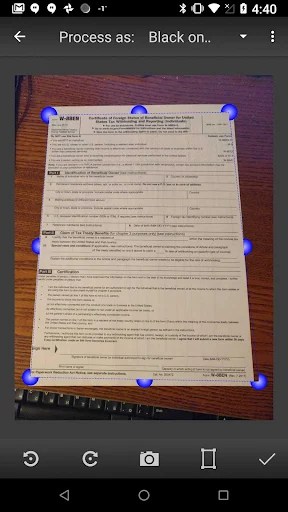
| Updated On | 23/02/2026 |
|---|---|
| Category | Productivity |
| Version | 3.9.97 |
| Size | 59 MB |
| Requires | Android 5.0 |
| Get it on | Google Play |
| MOD Features | Paid/Patched |
- Paid/Patched
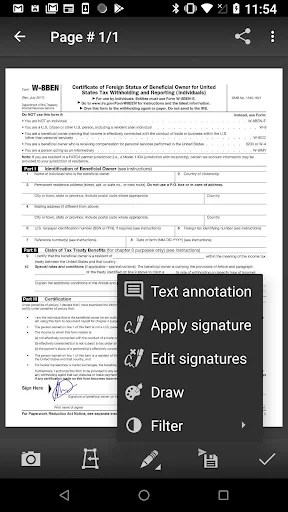
MDScan + OCR is an app that allows you to take a picture with your phone and it can be a mobile document scanner. You can scan invoices, receipts, contracts, book pages, magazines, printed pictures, or other paper documents. The app can automatically detect document edges and adjust the angle of your view, as well as enhance the picture to improve clarity and make the document more readable.
Note: You can also refer to other notable scanning applications on our website such as Genius Scan Enterprise or vFlat Scan.
Introduce about MDScan + OCR
MDScan + OCR (Mobile Doc Scanner) developed by MIXAImaging is a convenient tool that helps users scan paper documents with their phones. Instead of needing a traditional scanner, now with just a smartphone, you can easily digitize documents such as invoices, contracts, lectures or book pages. After taking a photo of the document, the application will support automatic detection of paper edges, align the viewing angle and improve brightness to make the image clearer.
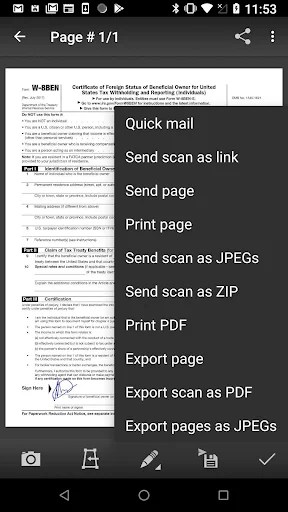
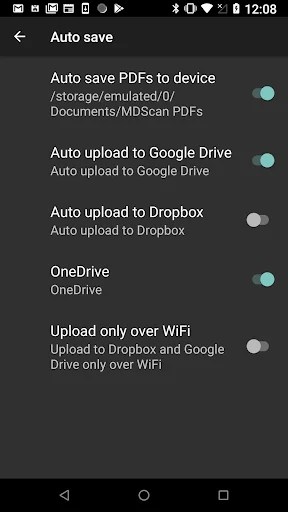
When utilizing the application, you could opt to export your document into either PDF file type or JPG file type. After you’ve finished using the application, you can quickly share your work through email or save it to cloud applications, such as Google Drive, or Dropbox.
There is also a mode in the application that allows you to scan multiple pages consecutively, which is very useful for long documents. The application also has a version that contains image text recognition (OCR), which will enable you to bring out the content you need for editing or searching purposes.
Scan documents with camera
MDScan + OCR turns a regular phone into a convenient document scanner. When you take a photo of any page, the application will automatically detect the edges of the document, cut off the excess background and recalibrate the viewing angle to be square. This is a very useful feature when you take a photo of a document at the wrong angle or on a complex surface.
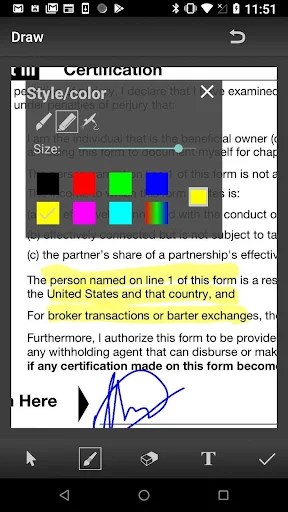
Not stopping there, this application also integrates a filter to increase brightness, clarify the text and reduce noise so that the image looks much sharper and clearer than the original photo. Even when the document is captured in low or uneven lighting conditions, the application can still significantly improve the output quality. This helps you store documents more easily readable, while creating a professional impression when sharing with others.
Support for continuous multi-page scanning
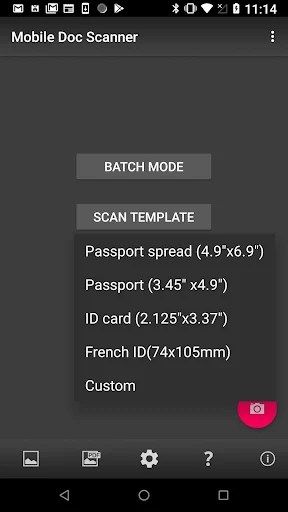
One of the important features of MDScan + OCR is the batch scanning mode, which allows users to scan multiple pages in a row without having to repeat the operation. Instead of having to save each page individually, the application will combine the captured pages into a single document, making management more neat and logical
This mode is especially suitable for those who need to scan books, multi-page contracts, textbooks or lectures. The processing speed is also remarkable: you can quickly operate from capturing to saving in just a few seconds. This ability saves a lot of time and effort, especially when working with a large number of documents.
Export documents as PDF/JPG
If you have scanned and processed a document, MDScan + OCR can save all results in common formats such as PDF or JPG. PDF and JPG are both very popular formats for work-related or study purposes, and easily sent via email or uploaded to cloud service providers or attached to chat platform.
You can rename files, choose image quality, and arrange the page order if you like. The sharing capabilities of MDScan + OCR are built right into the interface to help you keep operating your work flow without interruption. Whether you want to send your document to colleagues, share class or lecture material with students or just save the information for personal use, MDScan will allow you to accomplished all of this in an efficient and effective manner.
Optical character recognition (OCR) for text extraction
MDScan + OCR offers not only beautiful image creation, but also text recognition from images through OCR technology. This is a great tool if you need to obtain content from a contract, article or minutes and do not want to retype the information. After scanning, the application will analyze the image, and retrieve the printed text in the image and convert to digital text that you can copy, edit or search.
This is very adaptable in a digital working environment or when you have to reprocess printed content. However, if you want the best result, clear imagery of the document is preferred, along with easy to read fonts. If the photo is blurry to begin with, or if the document is smeared or has numerous special symbols, the OCR feature may not be completely accurate.
Privacy-first, processing directly on the device
MDScan + OCR is designed to handle most operations directly on the user’s device without sending data to an external server. This helps ensure the safety of private or sensitive documents. You don’t have to worry about documents being silently stored on a cloud platform if you don’t actively enable sharing.
All steps such as edge detection, image calibration, and light processing take place locally. This is a big plus for business users, office workers, or students who regularly work with important information. High privacy, combined with stable processing speed, makes MDScan + OCR a reliable tool for scanning and managing personal documents.
Download MDScan + OCR MOD APK for Android
In general, MDScan + OCR is a trustworthy option for someone wanting to quickly scan, store, and share documents right from his/her phone. With the intelligent processing aspect, welcoming interface, and high security, working with documents is facilitated to be quicker and more professional.