Win 12 Launcher MOD APK 11.5 (Pro Unlocked)
Al-Mansi Studio | 0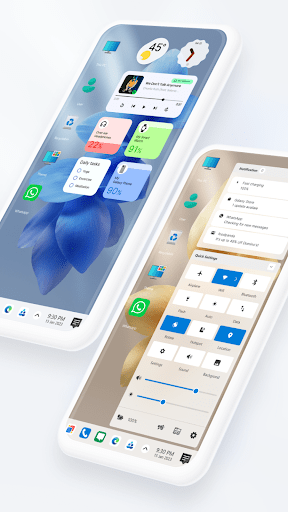
| Updated On | 14/05/2026 |
|---|---|
| Category | Personalization |
| Version | 11.5 |
| Size | 35 MB |
| Requires | Android 7.0 |
| Get it on | Google Play |
| MOD Features | Pro Unlocked |
- Pro Unlocked
Ever look at your phone screen and wish it behaved more like a desktop computer? Win 12 Launcher by developer Al-Mansi Studio tries to do exactly that by ditching the standard Android icon grid. It swaps your usual setup for a layout that mimics the Windows 12 aesthetic right on your mobile device.
Note: Don’t forget to check out other outstanding applications on our website such as O Launcher or Anime Launcher.
Introduce about Win 12 Launcher
Win 12 Launcher is built for anyone tired of the typical swiping and scrolling found on standard mobile interfaces. It replaces your default home screen with an environment designed to mirror a full desktop operating system. If you prefer the structure of a PC over a messy drawer of apps, this launcher provides a much more organized vibe.
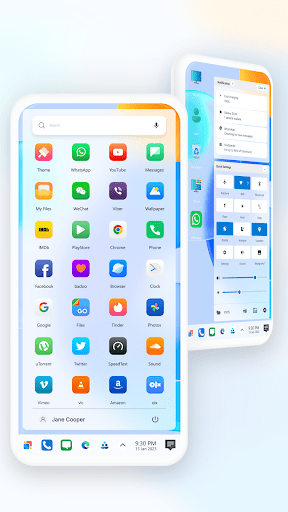
The whole experience revolves around staples like a Taskbar and a Start Menu, changing how you open apps or find files. It gives you a level of control that feels deeper than stock Android, though it might take a moment to get used to the new layout. It really tries to make your phone look sophisticated and distinct from the usual crowd.
An authentic desktop on your phone
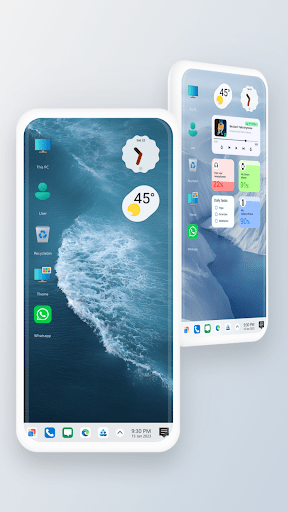
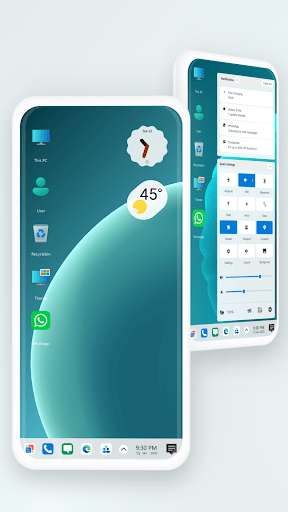
When you set this to your default launcher, the change is definitely drastic. The workspace is clean with the taskbar on the bottom functional, and the Start Menu also works. using a mouse and keyboard setup feels surprisingly similar to a touchscreen.
Your apps are kept hidden in the Start Menu until you need them so you don’t clutter your screen. A new Action Center has also been included to view notifications or hit system toggles without pulling down a shade. Although it looks cool, small screens can feel cramped for managing open apps with a tiny taskbar.
Manage files like a pro
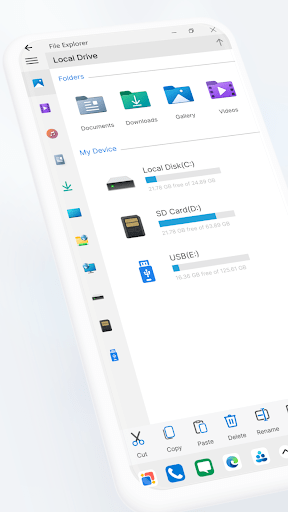
Most launchers just change the icons, but this one has a File Explorer too. It turns your interface into a laptop-like utility that helps you manage your folders and documents. Win 12 Launcher doesn’t merely impose a visual skin. It is a genuine functional enhancement.
The file manager enables you to perform regular tasks like copy, paste, and create zip fill inside it. The ability to share between networks is an important detail, allowing for file sharing between devices. Although it’s powerful, it can be a bit fiddly on the phone screen if one needs to use a complex tree.
Deep personalization options
You can customize the interface heavily in the Visual Studio. Quite frankly, you can even make it pink if you want! You can change out icon packs or apply dynamic live wallpapers that offer slight movements in the background. It takes a while to set up everything, but in the end, you have a desktop that looks like nobody else.
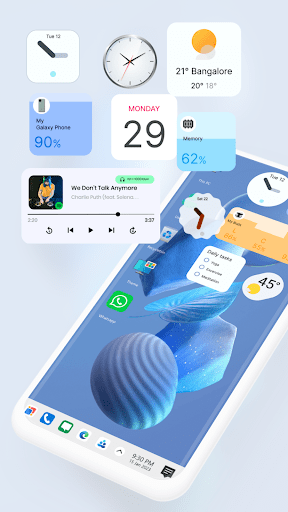
Widgets play a big role too, allowing you to place and resize info panels right on the desktop surface. Finding these options is straightforward; just long-press anywhere on the screen to bring up the menu for themes and wallpapers. It’s easy to get lost in the settings, but that flexibility is great for tinkerers.
Quick access to your settings
To keep things feeling professional, the launcher includes a dedicated Control Center. This panel gives you immediate access to system basics like Wi-Fi, Bluetooth, and screen brightness without forcing you to dig through Android menus. It’s designed to match the clean, sharp look of the rest of the Windows 12 interface.
Having these toggles in one spot makes it easy to use on a daily basis and useful when you need it quickly. It imitates desktop OS performance by placing the essential controls where the PC user is expected. Despite this, muscle memory from regular Android gestures might lead you to the wrong place at first.
Organize your home screen
As this is similar to that of a PC, one can create folders on the desktop surface. You can group documents or application shortcut together with this making it less messy. Having a few folders that contain a number of icons is far better than having numerous loose icons.
For faster access, you can simply drag your favorite apps out of the Start Menu and drop them onto the background to create a shortcut. This mechanic feels very natural to anyone who has used a computer, making it easy to build a workflow that suits you. Just be careful not to overcrowd the screen, or you lose that clean aesthetic.
Download Win 12 Launcher MOD APK for Android
Win 12 Launcher is a solid pick for tech enthusiasts who want to completely overhaul how their phone feels. It’s perfect if you miss the productivity of a Windows environment or just want to mess around with a high degree of customization. While it turns a standard screen into a professional workspace, the layout might feel too dense for casual users.