Australis Icon Pack MOD APK 1.77.0 (Paid/Patched)
UNVOID | 0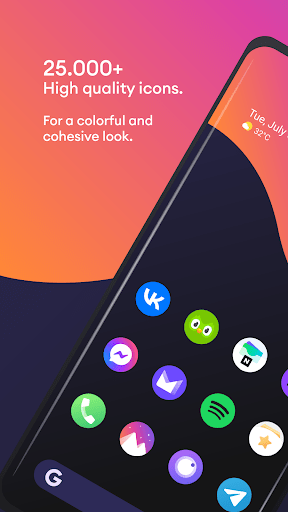
| Updated On | 20/04/2026 |
|---|---|
| Category | Personalization |
| Version | 1.77.0 |
| Size | 76 MB |
| Requires | Android 5.0 |
| Get it on | Google Play |
| MOD Features | Paid/Patched |
- Paid/Patched
Australis Icon Pack is a colorful and unified style icon set for Android devices. The main goal of the application is to bring a fresh and unified interface, while still maintaining the characteristic design of the original brands. First, let’s learn more about this application.
Note: You can also choose other notable interface personalization applications on our website such as LineX Icon Pack or Mello Night Icon Pack.
Introduce about Australis Icon Pack
Australis Icon Pack is an Android icon application designed by publisher UNVOID, aimed at users who love synchronization and creativity in the phone interface. This application brings a collection of sharp graphic icons with their own style, creating a clear difference when you change the default interface of familiar applications.
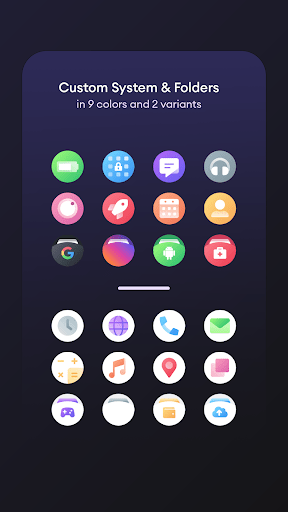
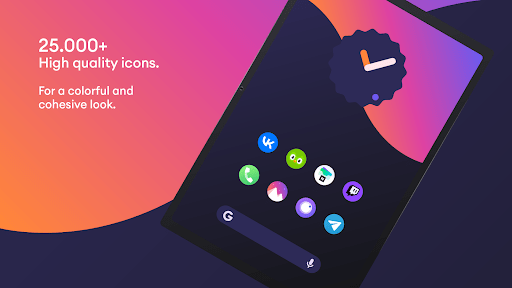
According to information from the developer, this application currently provides more than 28,000 hand-designed, high-quality icons. Each icon is carefully crafted to ensure harmony in the overall home screen. In addition, the application also supports alternative icons for each specific application, so users can choose the icon version that best suits their personal preferences.
In addition, the application also integrates an online wallpaper system, accompanied by a modern control interface that makes applying icons simple and fast. Some popular launchers such as Nova, Niagara, Apex or Smart Launcher are all compatible with this icon pack.
Over 28,000 high-quality icons
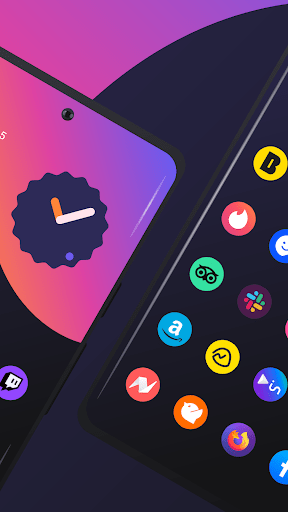
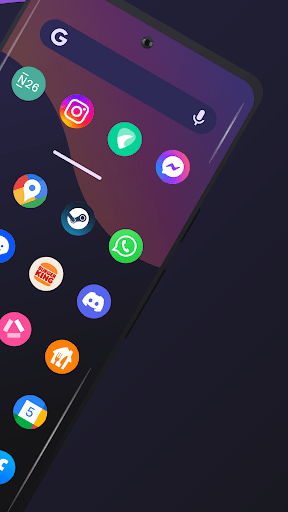
Australis Icon Pack impresses with its extremely rich number of icons, up to more than 28,000 samples. Each icon in the collection is hand-designed by the developer, ensuring sharpness, clarity and aesthetic consistency. The icons retain familiar brand identity features but are slightly modified in color, shape and gloss to become more harmonious on the Android user interface.
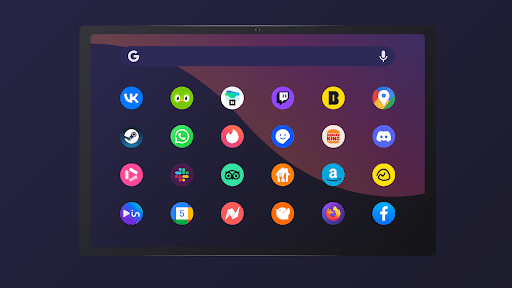
In addition, many popular applications will have additional options for alternative icons. Having such a large icon store makes it easy for users to refresh their phones without worrying about missing or out-of-sync icons. From social networks, work tools to system applications, almost all familiar icons are present in Australis with a completely new look but still recognizable.
The mask system and dynamic calendar icons
Australis Icon Pack not only focuses on designed icons but also supports smart processing with applications that do not have their own icons. When encountering applications that are not on the supported list, Australis will apply a “mask” system – that is, automatically adjusting the original icons to the same size, border color and roundness to ensure the interface is always consistent. This helps users avoid the situation where some icons are “out of sync” with the rest.
In addition, the application also integrates a dynamic calendar icon feature, allowing the calendar icon to change according to the day of the month if the launcher being used supports it. This creates a sense of life and updates the interface in real time. These two features are especially useful in keeping the screen interface neat and consistent. Users will feel the seamlessness in the visual experience, thereby making using the phone more pleasant and personalized.
Wide compatibility with many popular Android launchers
Australis Icon Pack has support for the majority of today’s most popular custom launchers on Android, making it easy to install new icon packs without any trouble. The launcher that Australis works with the best are: Nova Launcher, Niagara Launcher, Apex Launcher, Smart Launcher, Action Launcher, Lawnchair, and many more. Even some system interfaces such as OnePlus Launcher or Samsung One UI can be compatible if combined with supporting tools such as Theme Park.
When using Australis with compatible launchers, users can apply all icons with just a few simple steps. In addition, the application also recommends turning off the “normalize icon size” mode in the launcher settings to avoid size discrepancies between icons. Thanks to wide compatibility, users are not limited by devices or software when wanting to experience this icon set.
Friendly dashboard
Australis Icon Pack has a fresh and easy-to-use dashboard, commonly referred to as the dashboard. From here, the user can view all the icons, search for the app that they need to change, view the included wallpaper, or request new icons etc. Application of icons to the launcher, the downloading of wallpapers, or favoriting of icons has been made quick and easy via smooth actions.
There is also a number of wallpapers online available in the app that are designed suitable for use with the icon sets. These wallpapers will mostly be in dark colors, and a very basic layout to allow the icons above them to stand out. Users can send requests via the built-in “icon request” feature for applications that do not currently have an icon, to help build their collection in future updates.
Download Australis Icon Pack MOD APK for Android
In short, Australis Icon Pack is an ideal choice for those who love a sharp, synchronized and highly aesthetic interface. With a huge number of icons, sophisticated design and wide compatibility, the application helps you easily refresh your phone in your own style without taking too much time.