Music Folder Player Full MOD APK 3.1.40 (Paid/Patched)
ZorillaSoft | 0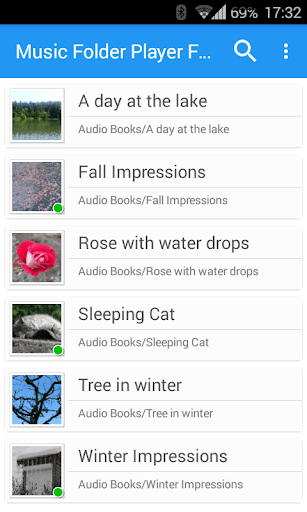
| Updated On | 27/05/2026 |
|---|---|
| Category | Music & Audio |
| Version | 3.1.40 |
| Size | 26 MB |
| Requires | Android 5.0 |
| Get it on | Google Play |
| MOD Features | Paid/Patched |
- Paid/Patched
If you are a fan of listening to music in the traditional way, Music Folder Player Full is the ideal tool. This application does not follow the trend of modernizing the interface or integrating social networks, but focuses on a simple, intuitive and powerful experience for those who store music offline.
Note: You can also find applications with similar functions on our website such as AMPLayer or Musicolet Music Player.
Introduce about Music Folder Player Full
The Music Folder Player Full application is a notable choice for those who regularly listen to music from their personal storage library. Instead of depending on playlists or sorting by artist, this application allows users to browse and play music directly by folder. This approach is especially suitable for those who organize music by theme, genre or album on the device memory.
Another valuable point is the ability to remember the playback position of each folder. This is extremely convenient if you listen to audiobooks or podcasts, because each time you return, the application will continue playing exactly where you left off. In addition, the application also provides customizations such as adjusting the playback speed, equalizer settings and car mode for easy operation on the go.
Play music by folder and flexible library management
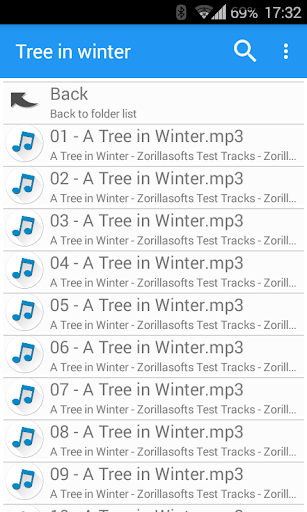
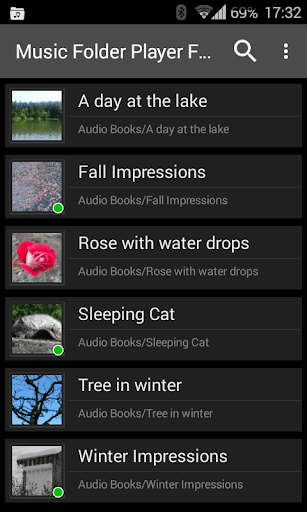
Music Folder Player Full allows users to play music directly from folders saved in the device memory. You do not need to depend on playlists or sort by album, artist like normal applications. Instead, you can browse through music folders the way you organize files on your computer: by genre, year of release, or each separate album.
The application supports both flat list display or folder tree display for easier management. A very valuable plus is the ability to remember separate playback positions for each folder. This is very useful for podcast or audiobook listeners because you can stop and continue right where you left off even if you switch to another folder. With this way of operating, users have complete control over how to arrange and play music in their personal style.
Comprehensive sound customization
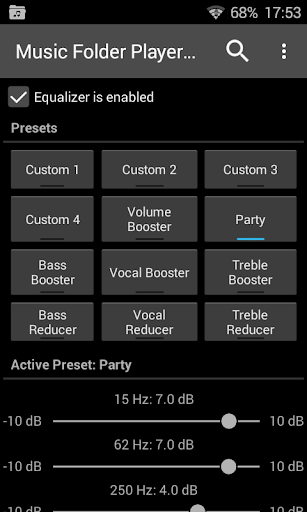
The application is integrated with many sound adjustment tools to help you personalize your music listening experience in your own way. Music Folder Player Full has an equalizer system with preset configurations such as bass boost, vocal boost or for parties, and also allows users to create their own configurations if they want to fine-tune further.
In addition, the application supports sound effects such as room simulation and reverberation effects, creating the feeling of listening to music in a real environment. Another outstanding feature is adjusting the playback speed and pitch, helping you listen to audiobooks faster while still being easy to understand. For recordings with low volume, the pre-amplifier feature helps increase the volume without distorting the sound.
Additionally, you can switch to 432 Hz playback – a favorite of many hardcore listeners. All of these factors make the app suitable for a wide range of users, from casual listeners to audiophiles.
Good support when moving and quick operation
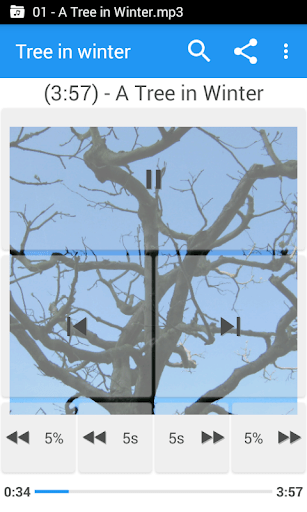
Music Folder Player Full not only focuses on sound quality but also focuses on convenience during use. When on the go or need to operate quickly, you can turn on Car/Sports Mode – this mode displays larger control buttons for easier pressing and clearer visibility while driving or exercising.
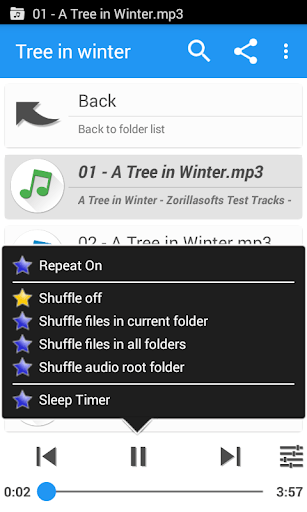
In addition, the application supports four fast forward or backward buttons, and you can adjust the forward time as you like, very suitable for listening to podcasts or audiobooks. The two-finger gesture volume and balance adjustment feature helps you control the sound without accessing many menus.
The application also supports sleep timer, headphone button control with double or triple press to change songs or pause music. These functions bring a convenient, safe and smooth experience in all situations, from when you are driving to relaxing at home.
Convenient music file management right in the application
Music Folder Player Full is not only a music player, but also integrates a number of file management features to help you save time and operate right in the same place. While browsing the folder, you can perform basic actions such as renaming files, deleting files or sharing audio files with friends without having to exit the application to enter the device’s file manager.
This allows for a cohesive experience, especially if you want to move around your music library or delete any older recordings not in use. The app also has a quick search feature that lets you type in keywords to pare down appropriate songs or folders without too much scrolling. The combination of music playback and file management in the same application helps users be more proactive in controlling and organizing their personal music library in a scientific, neat and effort-saving way.
Download Music Folder Player Full MOD APK for Android
With a clean interface and smooth operation, Music Folder Player Full brings a friendly feeling to Android users. This is the right application for those who prioritize simplicity, flexibility and initiative in managing their offline music.