RoughAnimator MOD APK 4.24 (Paid Unlocked)
WeirdHat | 0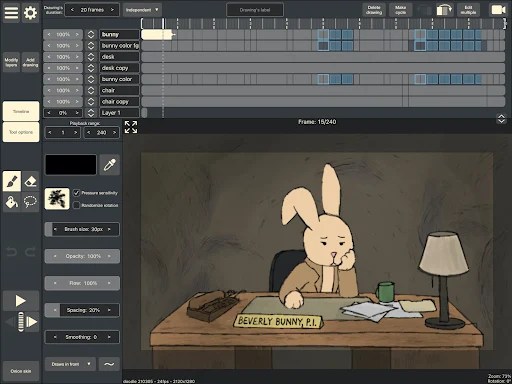
| Updated On | 13/04/2026 |
|---|---|
| Category | Art & Design |
| Version | 4.24 |
| Size | 36 MB |
| Requires | Android |
| Get it on | Google Play |
| MOD Features | Paid Unlocked |
- Paid Unlocked
Developed by Jacob Kafka, RoughAnimator is a seriously capable app for creating hand-drawn animation. It packs an impressive toolset into a straightforward layout so you can easily draw frame-by-frame while hanging out on the couch.
Note: Don’t forget to check out some similar applications on our website such as Flyerwiz or monAI.
Introduce about RoughAnimator
This digital toolkit tries to replicate the old-school 2D animation process without bogging you down in complicated menus. It drops the clutter to focus entirely on the tools actually needed for sketching a quick idea or doing a fully polished piece.
The whole workflow revolves around a standard timeline layout that most artists will immediately recognize. You can use this sandbox for anything from practicing a basic bouncing ball cycle to making complex character movements with synced audio.
An infinite timeline for your ideas
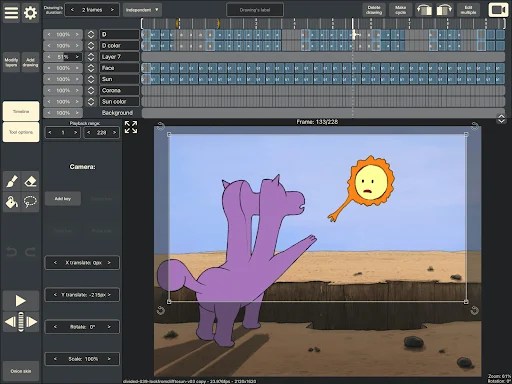
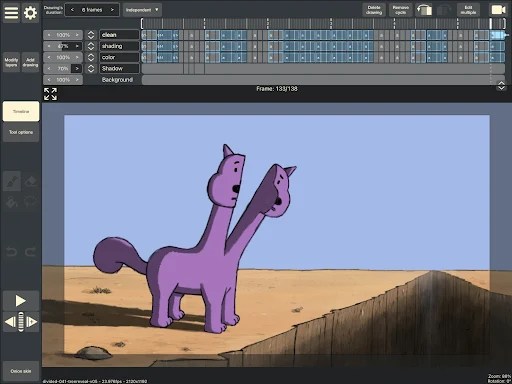
Building a solid animation starts with organizing the workspace, and the timeline lets you create an unlimited number of layers. This comes in incredibly handy when separating a moving character from a static background to save time. Keeping track of all those different layers can definitely get overwhelming if you don’t label things properly.
You also get full control over the exposure length for each drawing in the sequence. Holding a single sketch on screen for multiple frames is a vital technique when adjusting the rhythm of your scene. Setting up a project with custom resolutions and frame rates gives you a professional base, though dialing in those exact timing tweaks always takes some patience.
See your motion come to life
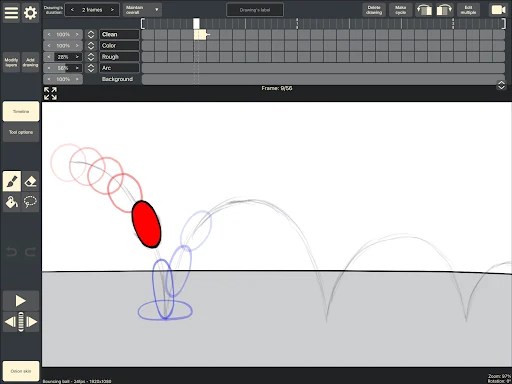
Onion skinning is basically mandatory for 2D animation, and this app handles it nicely by showing transparent versions of the surrounding frames. Seeing the previous and next sketches right under your brush helps immensely when spacing out the arcs of a bouncing ball. It removes a lot of the usual guesswork, although drawing smooth motion still demands an understanding of basic animation principles.
If a drawing is slightly off, the lasso tool lets you select and move specific parts without erasing the whole frame. It saves a massive amount of time when a character’s arm just needs a tiny adjustment. Beginners usually start with simple shapes to get comfortable with these transformation tools before jumping into complicated character designs.
Bring sound and video into your world
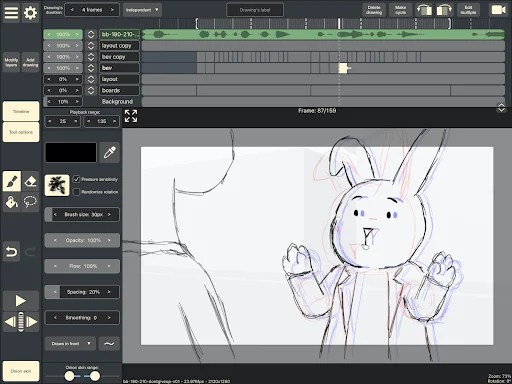
You can import audio files straight onto the timeline when your project needs dialogue or sound effects. Scrubbing back and forth through the timeline to hear the audio is huge when trying to perfectly match a character’s lip sync. Hitting those exact audio cues definitely takes practice, but the built-in scrubbing makes the whole process much less frustrating.
RoughAnimator also allows video importing specifically for rotoscoping live-action footage. Tracing over real video frame-by-frame is a great shortcut for realistic movement, even if the technique can feel a bit tedious after a while. It opens up some cool creative options whether you want to study real motion or just add a lifelike touch to a stylized animation.
Draw with precision and personality
The drawing engine feels highly responsive and includes customizable brushes for getting the exact look you want. By messing with the size and opacity settings, artists can switch from messy sketch textures to super clean line art. Getting those perfect lines might take a steady hand, but the tools themselves behave exactly as you’d expect.
If you are a tablet user you get a big bonus. RoughAnimator fully supports pressure-sensitive styluses such as the Apple Pencil. It makes the digital canvas feel much closer to the paper if you have the right hardware to support this.
Connect to a professional pipeline
RoughAnimator works perfectly fine on its own, but it also plays nicely with major desktop software when you need a bigger pipeline. You can export projects directly into heavy-hitters like Adobe Animate, After Effects, or Toon Boom Harmony. Moving files between programs requires a few extra steps, but it prevents you from being locked into just one ecosystem.
A lot of professionals use RoughAnimator specifically to build animatics or rough passes while away from the office. Once back at a desk, they transfer the work to a more robust setup for coloring and final compositing. It’s a highly efficient workflow, though relying on desktop software for the final render means this app is only one piece of the puzzle.
Download RoughAnimator MOD APK for Android
RoughAnimator offers a really solid package for anyone wanting a straightforward animation program. It strikes a nice balance by keeping the layout simple enough for students while hiding enough depth for actual industry work. Getting art to move frame-by-frame is always a challenge, but this app provides all the right tools to make it happen.