Train Simulator PRO MOD APK 1.7 (Unlimited Money)
Mageeks | 0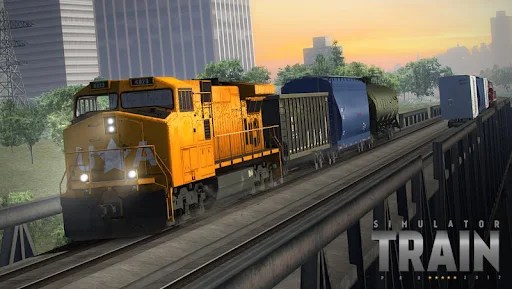
| Updated On | 29/05/2026 |
|---|---|
| Category | Simulation Games |
| Version | 1.7 |
| Size | 378 MB |
| Requires | Android 7.1 |
| Get it on | Google Play |
| MOD Features | Unlimited Money |
- Unlimited Money
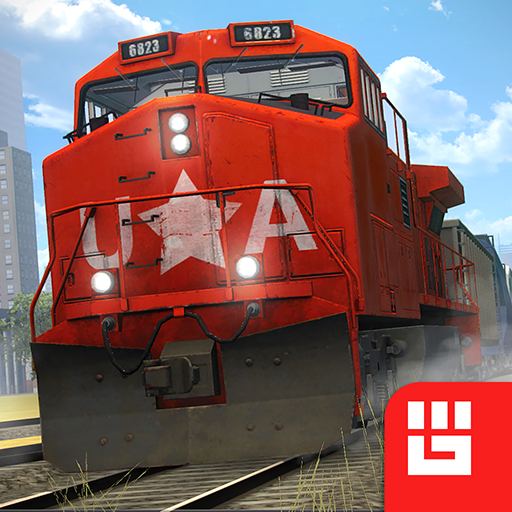
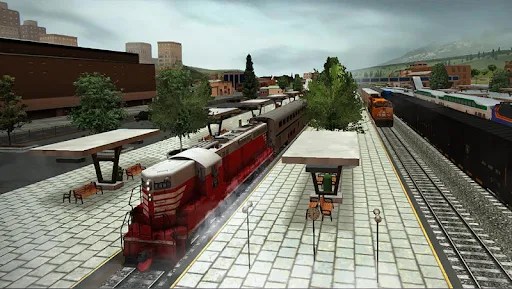
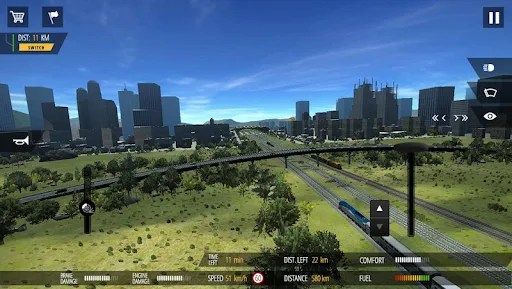
Train Simulator PRO is a popular train simulation game developed by Mageeks. The game puts players in the role of a train driver while also allowing them to manage and expand their own railway transportation company. Featuring impressive 3D graphics and realistic simulation gameplay, Train Simulator PRO delivers engaging journeys and an immersive train-driving experience.
Note: You can also explore other similar titles from Mageeks, including Truck Simulator PRO US and Bus Simulator: Ultimate.
Train driving mechanics in Train Simulator PRO
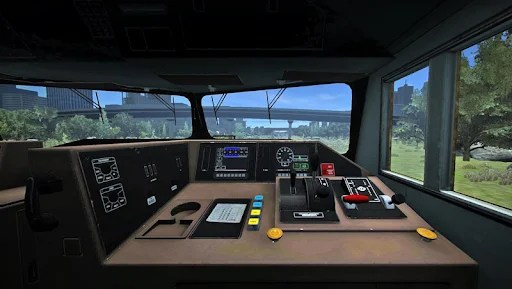
Train Simulator PRO simulates train driving mechanics relatively close to real life. The game provides you with three control levers, each serving a different purpose during operation.
The control lever on the right is the throttle, which is used to increase or decrease the locomotive’s power output. When the train is stationary, a switch with up and down arrows appears next to the throttle. You can tap this switch to change the forward or reverse direction of the entire train when you push the throttle up. When the upward arrow is lit, the locomotive pulls the train forward. Conversely, when the downward arrow is lit, the locomotive moves backward and pushes all the train cars to the rear.
In addition to the throttle mentioned above, trains in Train Simulator PRO also feature two more control levers located on the left side of the screen. The outer lever is the Cruise Control, which allows the train to automatically slow down to a certain speed and maintain that speed without using the brakes or reducing locomotive power. The inner lever is the braking system, which allows you to reduce speed suddenly by pushing it up.
Notes during the journey
Maximum speed signs:
In Train Simulator PRO, certain sections of the track have speed limit signs that require you to travel at a specific speed. Reduce your speed to at or below the permitted limit in these areas to avoid penalties.
Route switching:
Pay attention to the map or follow the mission instructions carefully to switch tracks correctly toward the required route. If you take the wrong direction, you may lose a significant amount of time trying to find another route back to the target location.
Safety signaling:
Some sections of the railway have crossings used by civilian vehicles. Sound the horn from a distance to warn that your train is approaching. If you fail to do so, some vehicles may still attempt to cross the tracks even when the train is close, increasing the risk of a collision.
Profile upgrade system
As mentioned earlier, completing missions rewards you with perk points. These points are used for the profile upgrade system. Each upgrade requires a certain number of perk points to permanently improve a specific statistic related to train service operations.
The profile upgrades available in Train Simulator PRO are as follows:
- Comfort: Reduces the rate at which passenger comfort decreases when unexpected events occur.
- Fine: Reduces fines received for exceeding the speed limit or causing collisions on the railway.
- Food Transport: Increases rewards earned from food transportation missions.
- Granular Materials: Increases rewards earned from material transportation missions.
- Durability: Reduces damage taken by the train.
- Fuel Consumption: Reduces the locomotive’s fuel consumption.
- Fuel Transport: Increases rewards earned from fuel transportation missions.
- Passengers Transport: Increases rewards earned from passenger transportation missions.
Your train can be damaged
During operation, your train can suffer damage to either the braking system or the engine. Damage to the braking system, or simply Brakes Damage, occurs when you pull the brake lever up too far within a short period of time in order to reduce the train’s speed suddenly, causing the braking system to overload. If the damage becomes too severe, the brakes will become less effective or may even stop functioning entirely. In such situations, you may arrive at a station without being able to use the brakes to stop the train.
As for the engine, damage in Train Simulator PRO is caused by maintaining high speeds for an extended period of time. Engine damage limits your ability to control the train’s speed. If the engine becomes completely broken, you will no longer be able to accelerate the train, even if you push the throttle all the way up. Therefore, if the train comes to a stop while the engine is fully damaged, it will remain stuck at that position permanently.
Damage levels and repair methods
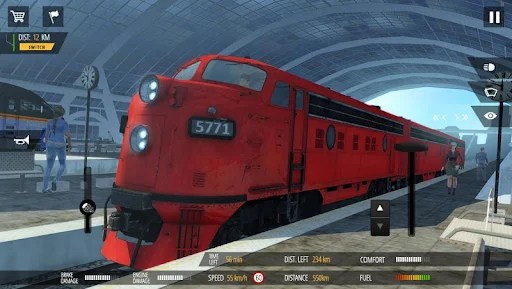
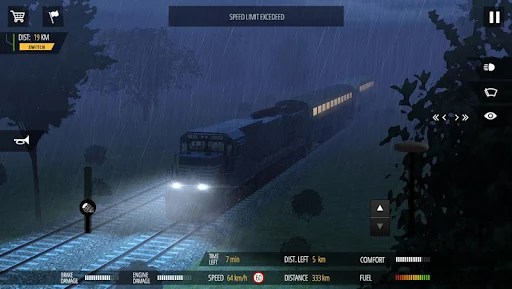
In Train Simulator PRO, the damage levels of the brakes and engine are displayed visually through the interface at the bottom of the screen, consisting of a red bar below and a white dashed bar above.
The red bar represents temporary damage and will gradually recover over time if you operate the train properly. However, once the red bar becomes completely filled, the damage will begin transferring into the white dashed bar. This represents permanent damage and cannot recover automatically.
To repair the train, players must either bring it into a station or stop the train completely to perform emergency repairs. Both methods require gold, but emergency repairs are significantly more expensive than repairs performed at a station.
Download Train Simulator PRO MOD APK for Android
With extensive experience developing vehicle simulation games, it comes as no surprise that Train Simulator PRO is another high-quality title from Mageeks. The game delivers a comprehensive train-driving experience, covering nearly every aspect of the job, from train controls to unexpected situations during operation. If you are looking for an immersive and realistic train-driving simulation, Train Simulator PRO is definitely worth trying.