
Meld MOD APK 0.7.2 (Premium Unlocked)
FrancescoGrazioso | 5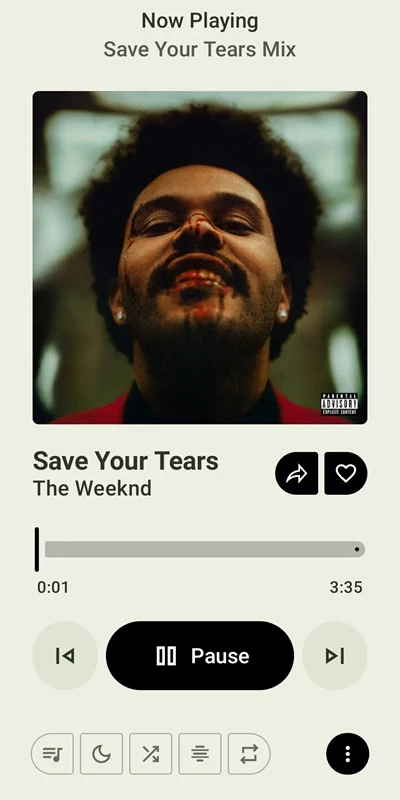
| Updated On | 08/06/2026 |
|---|---|
| Category | Music & Audio |
| Version | 0.7.2 |
| Size | 46 MB |
| Requires | Android |
| Get it on | Google Play |
| MOD Features | Premium Unlocked |
- Premium Unlocked
Mixing Spotify’s smart music discovery with YouTube Music’s giant library sounds like a pipe dream. Meld is a free Android client that actually tries to pull this off. It smashes the features of both platforms into one app.
Note: Don’t forget to check out some similar apps on our website, such as YouTube Music or Apple Music.
Introduce about Meld
Meld basically bridges two streaming giants by using a regular Spotify account to run the interface. Logging in brings up those familiar playlists and personalized suggestions right away. You still get the exact same library management and search tools you are used to using.
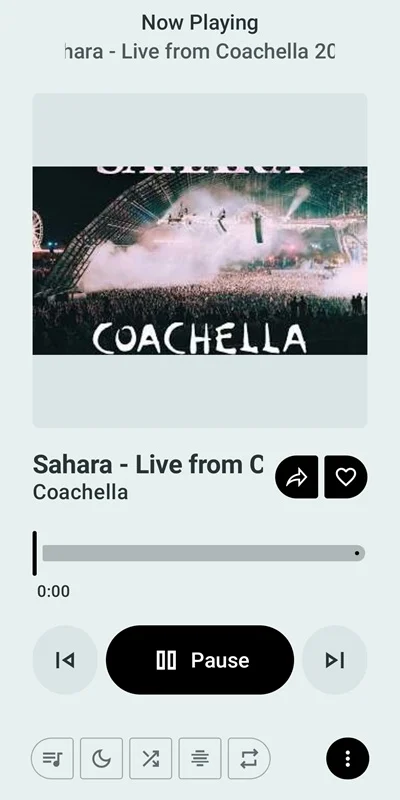
Pressing play is where things get weird, as the audio actually streams straight from YouTube Music’s massive catalog. Pulling songs from a completely different video platform gives you access to a massive tracklist without ditching the Spotify ecosystem. It fixes the problem of having to choose between a good interface and a bigger song library.
It packs in extra tricks like offline pre-caching and local file playback that official apps often lock away or skip. Even someone with a free Spotify tier can use their own data to drive discovery without paying a monthly fee. That bypasses a lot of normal paywall restrictions right out of the gate.
The best of both worlds
Connecting a Spotify account immediately grabs your entire library of saved albums and custom playlists. Launching the app feels just like opening your regular music player since all those favorite tracks are already waiting. Of course, you absolutely need an existing Spotify account to even get this integration off the ground.
Looking up a new band or track uses Spotify’s search engine to pull accurate results. It grabs the text data from one service and hunts down the actual audio on YouTube. Relying on two completely separate platforms means occasional hiccups, but it generally gives you a very flexible listening tool.
Smarter music discovery
A custom recommendation algorithm actively reads your Spotify listening history to build personalized queues. When letting the app autoplay through a new genre, it creates lists tailored straight to your existing tastes. The only catch is that this feature needs enough prior Spotify data to actually figure out what you like.
Liking a song or following an artist in this client syncs that action straight back to your main Spotify profile. Finding fresh tracks on Meld keeps your actual Spotify ecosystem completely up to date. It acts like a two-way mirror for your streaming data.
Uninterrupted offline listening
An intelligent pre-caching system automatically downloads the next few tracks in your queue right to the device storage. This builds a handy buffer in the background as you listen to a playlist. Holding these upcoming songs locally naturally eats up a bit of storage space over time.
The cache keeps the audio going even if the internet suddenly drops out. Losing cell service while commuting on a train will not randomly stop the music. It provides a reliable backup plan for spotty connections.
Total library control
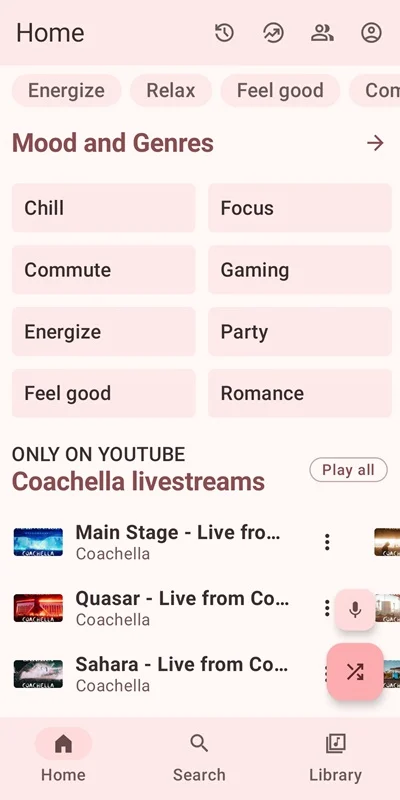
Toggling a ‘Spotify only’ option in the settings hides all the extra YouTube-based content from the home screen. This trims down the clutter if you just want a cleaner look. You can also mix in your own downloaded collection with local file playback that supports Dolby Atmos.
Sometimes a Spotify track gets incorrectly matched to a totally wrong YouTube video. When that happens, pasting the proper YouTube link manually corrects the audio source. Having to fix links yourself is a bit annoying, but it ensures you hear the exact version you want.
A streamlined user experience
Getting Meld to behave exactly how you want requires digging around in the options menu first. You really should turn on the toggles for ‘Use Spotify for Search’ and ‘Use Spotify for Home’ right after logging in. Fiddling with these switches takes a minute, but it correctly routes the data through Spotify’s superior engine.
Those specific toggles force your trusted account to handle all the heavy lifting for recommendations and searches. Flipping on the ‘Spotify only’ setting mentioned earlier finishes up the customization process. The final result feels a lot like an upgraded version of the official client.
Making two giant music platforms talk to each other inside one app is pretty wild. You definitely have to spend a few extra minutes setting up the menus compared to just downloading a normal streaming app. The payoff is a highly personalized music player that punches way above its weight.
Download Meld MOD APK for Android
Meld targets listeners who love Spotify’s layout but want the weird, massive catalog of YouTube Music. It hits a solid middle ground by smashing both platforms together. The unified player handles things surprisingly well considering it relies on two totally different ecosystems.