
APKMirror Installer MOD APK 2.0.3 (41-d04e542) (Premium Unlocked)
APK Mirror | 0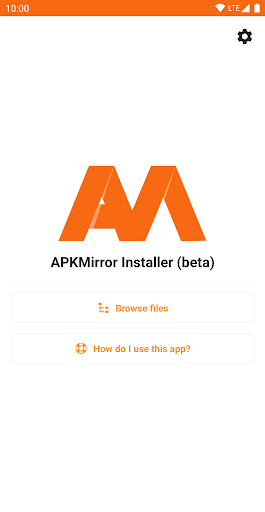

| Updated On | 02/03/2026 |
|---|---|
| Category | Tools |
| Version | 2.0.3 (41-d04e542) |
| Size | 24 MB |
| Requires | Android |
| Get it on | Google Play |
| MOD Features | Premium Unlocked |
- Premium Unlocked
APKMirror Installer is an official utility application developed by the team behind the famous website of the same name. This application is not an application store but an installation helper tool (helper app), designed to solve a specific and complex technical problem on the Android operating system.
Note: You can also refer to some applications of the same genre on our website such as XAPK Installer or SAI: Split APKs Installer.
Introduce about APKMirror Installer
APKMirror Installer (Official) is an essential utility application for Android users who regularly download and install application files from outside. This application is developed by the team behind the APKMirror website, ensuring reliability and efficiency in operation. The main task of APKMirror Installer is to solve complex problems arising from Google’s new application distribution trend.
For example, a modern app may include base files and separate files specific to your phone’s language or chip architecture. Notably, Android’s standard file manager cannot handle these complex package files. If you try to install it manually, the app will often crash or fail to run due to missing necessary components. That’s where APKMirror Installer comes in.
Moreover, the app also provides a useful installation error diagnostic feature. This helps users know the exact cause if the installation fails (e.g., hardware incompatibility), instead of just receiving a generic error message. Clearly, this is an indispensable tool to ensure the “sideloading” process goes smoothly and safely.
Ability to install complex application package formats
This is the core and most important feature that makes APKMirror Installer exist. In the modern Android environment, Google has moved to the Android App Bundle format, resulting in the distribution of apps as Split APKs (split APK files).
Instead of a single APK file containing all the resources (like language, ARM/x86 chip architecture, screen density), an app is now split into multiple pieces. When users download apps from external sources (like APKMirror), they often receive packages like .apkm, .xapk, or .apks.
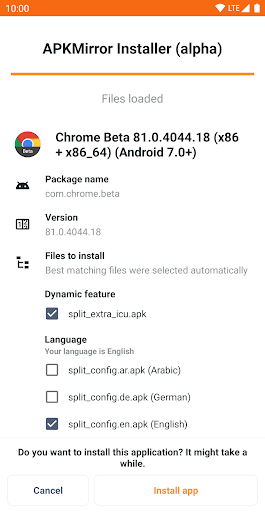
However, the default APK installer on Android cannot handle merging these Split APK files together properly. That’s why APKMirror Installer was born to do this job. The app scans the package files, identifies all the necessary components, then recreates the complete app package and performs the installation process into the system.
Full support for external app package file formats
APKMirror Installer is designed to be a one-stop solution for installing apps from unofficial sources. This is reflected in its wide support for many popular package file formats used by app stores other than Google Play. Specifically, it can handle .apkm files, .xapk files, and .apks files.
In addition, the app still works well as an installer for traditional single APK files. This brings great convenience to users. They do not need to look for many different tools to handle each type of downloaded file format; APKMirror Installer integrates all of these capabilities into a single app.
Furthermore, this wide range of format support affirms the app’s position as an essential tool, helping to simplify the manual installation process and ensure maximum compatibility with most of the app packages shared in the Android community.
Detailed installation error diagnosis and warning feature
One of the most important and useful features of APKMirror Installer is the in-depth diagnosis of installation problems. When users attempt to install an APK file or app package but the installation fails, the default Android installers show a generic and confusing error message. However, APKMirror Installer goes a step further and gives the user the exact and specific cause of the error.
For instance, it may notify that this APK it’s installing is incompatible with the device chip architecture (e.g. installing an x86 APK on an ARM device) or that the app version is outdated, or that the app was previously installed with another signature. By saving time and preventing frustration, it significantly assists the user.
Friendly interface
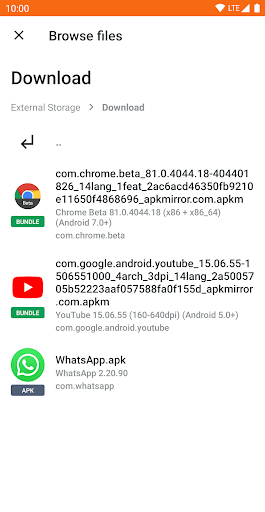
The interface of the APKMirror Installer is minimalistic and fully functional. The app is simple and effective, without any cute embellishments. While opening the app, the user will see a clean screen, mainly showing a list of application package files (.apkm, .xapk, .apks) which the app has checked.
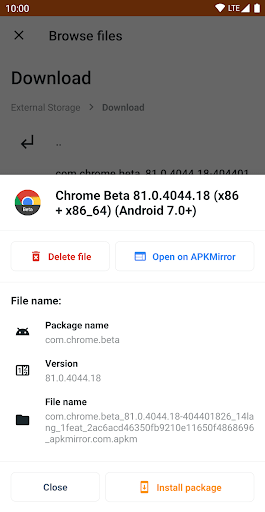
The interaction process is extremely intuitive: just tap on the package file you want to install, the app will immediately switch to the analysis screen. This screen will show the details of the Split APKs components that are about to be bundled and installed, confirming to the user exactly what is going on. Also, when something goes wrong, the diagnostic interface is clearly presented, with error messages in simple language instead of complex technical error codes.
Download APKMirror Installer MOD APK for Android
In short, APKMirror Installer is a necessary utility tool for Android users who regularly install applications from external sources, especially when dealing with complex package formats such as .apkm, .xapk, and Split APKs. If you want to experience premium features for free, the MOD version below this article will be the choice for you.