FocusReader RSS Reader MOD APK 2.70.56.20251207 (Pro Unlocked)
Focus App (Social Rss Podcast) | 0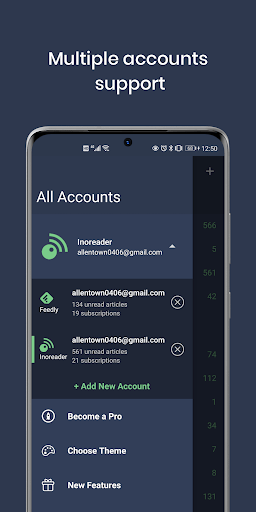
| Updated On | 07/02/2026 |
|---|---|
| Category | Tools |
| Version | 2.70.56.20251207 |
| Size | 42 MB |
| Requires | Android 8.0 |
| Get it on | Google Play |
| MOD Features | Pro Unlocked |
- Pro Unlocked
FocusReader is an RSS reader (RSS Reader) application for Android, which helps users to collect all news sources from blogs, newspapers, podcasts in one place for easy tracking. Accordingly, this application allows you to import news source lists (OPML) or link to popular RSS services.
Note: Refer to other useful tools on our website such as Tasker or Focus To-Do.
Introduce about FocusReader RSS Reader
FocusReader RSS Reader is a news reader application designed for users who want to track content from many different sources in the same place. When using this application, you can manage a series of blogs, electronic newspapers, podcasts and many popular RSS services such as Feedly, Inoreader, Tiny Tiny RSS or FreshRSS. FocusReader’s interface is simply arranged, easy to operate and can be customized according to personal preferences.
While reading, you can turn on focus mode to remove distractions and only display the main content. In addition, FocusReader also supports article translation, content summary with AI and allows offline reading when there is no internet connection. Users can quickly operate with swipe gestures to mark articles as read, save or share via social networks. For those who need to follow information on specific topics, the application also supports filtering by keywords and classifying into clear folders.
Flexible news source management and synchronization
FocusReader RSS Reader helps you manage RSS news sources effectively and scientifically. The application supports importing data from OPML files or directly linking to popular services such as Feedly, Inoreader, The Old Reader, Bazqux, Tiny Tiny RSS, FreshRSS and many other platforms. After connecting, the entire folder and article list will be synchronized to the application. You can set up real-time synchronization, only sync when opening the app, or customize it according to your personal schedule.
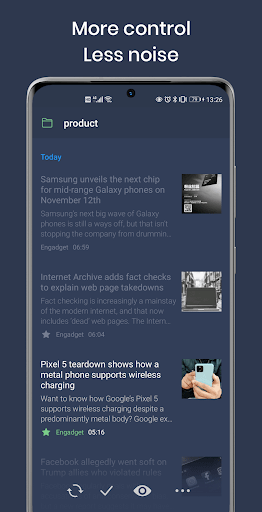
Further, FocusReader has folders to help you categorize content sources, as well as allow you to rename, move, or delete articles as well while keeping your main accounts intact. For people who follow multiple types of news, grouping articles by subject will save you time finding articles later. When an article is updated, the app will clearly mark the article as new so you do not miss any important content.
Smooth reading mode and diverse display customization
FocusReader provides a smooth, comfortable reading experience that suits each user’s habits. The application offers many interface options such as classic list, card format, or magazine format. Depending on your preferences, you can choose the appropriate display layout for more comfortable reading.
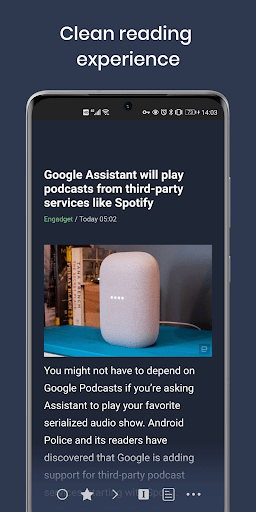
If you prefer simplicity, the reading mode is the way to go. The reading mode removes distractions in the article such as ads and awkward formatting and allows you to isolate the article’s reading content for a more simple reading experience.
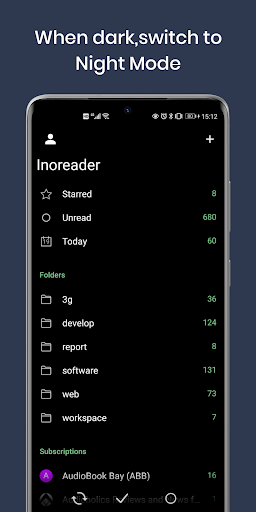
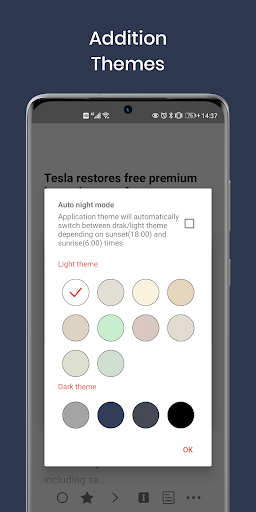
Furthermore, the application features light, dark and AMOLED black background modes to save battery life and protect your eyes at night when reading. You can modify font size, font and line spacing for the easiest reading experience possible. The great thing is, it saves each setting so you don’t have to go through all the options again next time you use it.
AI feature summarizes articles and supports language translation
A key feature of FocusReader RSS Reader as compared to a large number of competing RSS reader apps is its ability to summarize content of articles with AI. When you have an article opened, you can click the summarize option, which will give you a summary of the article to help you quickly understand the main idea without reading the whole article.
The application allows users to set up their own command templates (prompts) to guide AI to create content that suits a specific reading style or goal. This is very useful for those who often process large amounts of information but have little time. In addition, FocusReader has a built-in automatic translation tool.
With just one simple operation, articles in foreign languages will be translated into the language of your choice. This feature helps expand access to information from many different countries without language barriers. Users can apply it to both the title and the entire content of the article. By combining translation and summarization, you can quickly and effectively grasp global news even if the original article is not in your mother tongue.
Offline reading and podcast tracking in the same platform
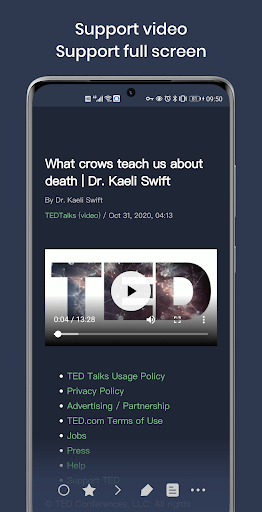
FocusReader RSS Reader not only supports reading text-based news but also integrates the ability to listen to podcasts right in the application. You can add RSS podcast sources to the list and play audio content directly from the application without installing additional software. The podcast listening interface is designed to be minimalist, easy to use and can fast forward, bookmark or save the listening part.
In addition, for those who need to read when there is no internet, FocusReader allows pre-downloading content for offline use. Saved articles will be fully displayed with both text and images, ensuring an uninterrupted reading experience when you travel, sit on a train or in a place without a stable connection. This is a practical feature, especially for users who are often on the go or want to take advantage of their free time to update information.
Download FocusReader RSS Reader MOD APK for Android
All in all, FocusReader RSS Reader is an ideal option as it provides a way to consume the news on your own terms. A flexible interface, focused reading capability, AI summary, and offline reading capabilities enhance a clean, modern and seamless experience.