OneGlass 8 (Color) Icon Pack MOD APK 1.5.1 (Paid/Patched)
Eatos | 4.5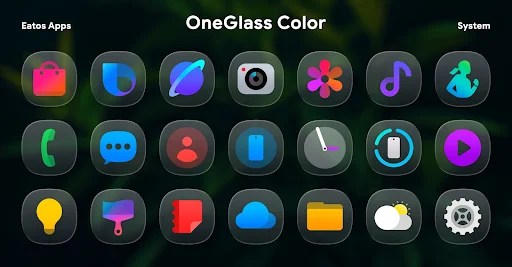
| Updated On | 05/05/2026 |
|---|---|
| Category | Personalization |
| Version | 1.5.1 |
| Size | 47 MB |
| Requires | Android 5.0 |
| Get it on | Google Play |
| MOD Features | Paid/Patched |
- Paid/Patched
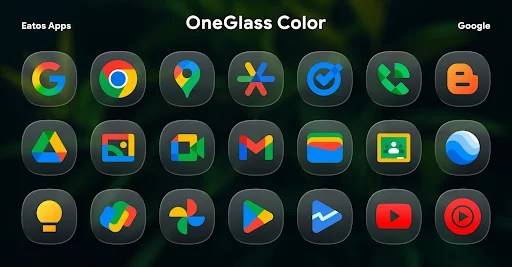
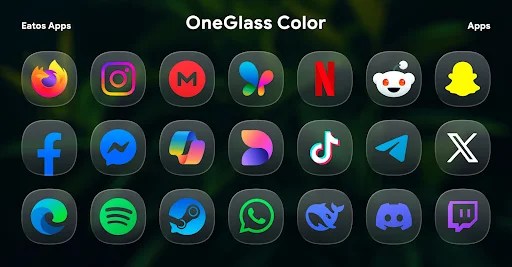
If you want to change how the look of your phone screen interface with luxury and uniqueness behind it, OneGlass 8 (Color) Icon Pack will not disappoint. This icon pack definitely has a modern take with a glossy glass effect and soft colors, produces a new look for the screen, yet appropriately balanced in its presentation.
Note: Refer to some other popular personalization applications on our website such as OneGlass 7 Icon Pack or iLightOS 18 Icon Pack.
Introduce about OneGlass 8 (Color) Icon Pack
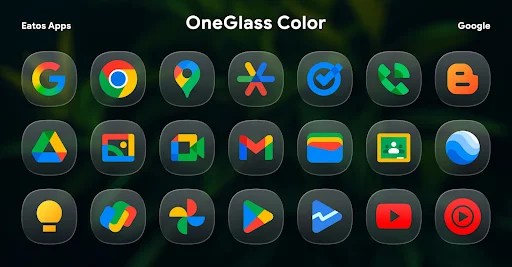
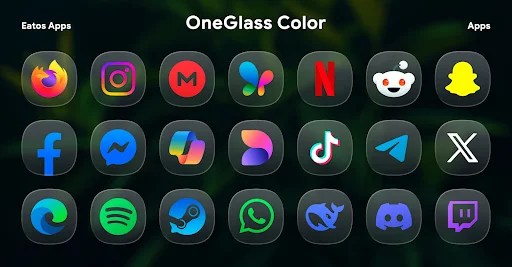
OneGlass 8 (Color) Icon Pack is an icon set designed by Eatos, with a transparent glass style combined with subtle colors, creating a prominent effect when used with a dark background. The application provides more than 4,600 custom icons and more than 430 included wallpapers, helping users easily refresh the phone interface according to their preferences. The icons are meticulously designed, keeping the original app’s identity but adding a modern and luxurious touch.
OneGlass 8 (Color) is compatible with many popular launchers such as Nova Launcher, Hyperion Launcher, Smart Launcher… For Samsung devices using One UI, users need to install Good Lock and Theme Park to apply the full set. The application is released at a one-time price, does not require periodic registration and receives many positive reviews from the community thanks to its high design quality and detail. This is a suitable choice for those who want to change the look of their phone in an elegant and different direction.
Unique and sophisticated glass color design
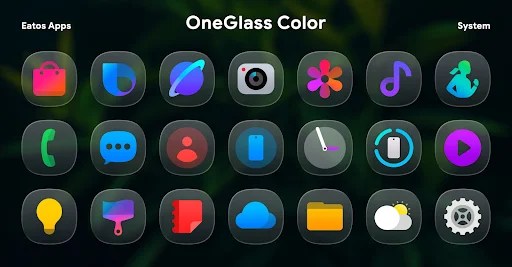
OneGlass 8 (Color) Icon Pack impresses with its glass color effect design style – the icon is covered by a transparent glass layer, with gentle colors but still prominent enough to attract the eye. The color scheme is cleverly selected, ensuring harmony with many types of wallpapers, especially when using dark mode. Each icon is meticulously crafted to retain the familiarity of the original application while providing a fresh and luxurious look.
This style makes the phone interface different without feeling confusing or too flashy. In addition, the shadow effect and transparent border are properly adjusted, creating depth for each icon. Users can feel the modernity mixed with a bit of minimalism, suitable for many personal styles, from elegant to youthful and dynamic.
Rich number of icons and wallpapers
One of the primary benefits of OneGlass 8 (Color) Icon Pack is the massive number of icons available in the pack with over 4,600 custom icons. This gives a solid chance that every popular app has an icon version to help create a consistent and beautiful interface. Also, it is worth noting that the app includes over 430 wallpapers that harmonize with the stained glass design of the icons.
These wallpapers include options for minimalist, abstract, or gradation color styles, and it is fun to mix and match. Being able to get both an icon and wallpaper that work well together saves time searching for personalized icons or wallpapers, and it helps to better your customization experience.
Also, all icons are optimized at a high resolution, featuring images that will remain sharp on anything large or any devices employing a high pixel density. With this much diversity, a user can freshen up the entire interface every day without fear or risk of boredom.
Compatible with many popular launchers
OneGlass 8 (Color) Icon Pack is compatible with most current Android launchers, including Nova Launcher, Hyperion Launcher, Smart Launcher, Lawnchair, Apex Launcher, and many others. This is great for giving users more options, when changing or testing different launchers while still having their favorite icon sets.
On Samsung devices with One UI, you can also apply it through Good Lock + Theme Park – the developer recommends this as an accurate way of showing the icon pack. Applying the icon pack is simply done, the transitions are smooth and they do not need to go through complicated installation procedures. Thanks to high compatibility, users can rest assured that the icon set will work well on many different Android versions.
High-resolution display quality and sharpness
OneGlass 8 (Color) Icon Pack is high definition and optimized for high-resolution devices so that no matter the size of the screen you’re using (2K, 4K), every icon will be clear and crisp. Borders, small details, and lighting effects are all designed in a way that ensures there will be no blurring or jagged edges when zoomed in.
We’ve designed all icons to be uniform in size, proportion, and style to create a consistent whole, whether you’re viewing them on the home screen or in the app drawer. Thanks to this sharpness, the user’s visual experience becomes more complete, not affected by use on devices with different pixel densities. In particular, the icon set also maintains the authenticity of the colors whether you use light or dark mode.
This makes it easier for the interface to maintain consistent clarity, vibrancy, and reasonable changes to the elements when the display is changing. Be extremely detail oriented, OneGlass 8 (Color) is designed like a luxury item for users who care about world-class quality in many aspects, including the aesthetic of the device and display quality.
Download OneGlass 8 (Color) Icon Pack MOD APK for Android
In all, OneGlass 8 (Color) Icon Pack is a good choice for those who would like to give their device a sleek, rich and uniform style. With a colored glass design, a full icon store experience, high display quality and wide compatibility, the app gives a fully tailored experience.